Top iPhone applications that all designers should own!

This is a list of iPhone apps for designers who use their phone for more than just for calling. iPhone apps are important to any designer looking for the best solutions. This list provides some apps that are paid and some that are free. Let me know what other iPhone apps you use.
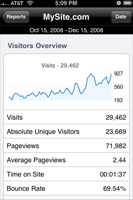 |
AnalyticsIf you run a website or blog odds are you have google analytics set up. This app provides an iphone interface to google’s less than desirable flash graphic interface. Good for checking out your website stats on the go. |
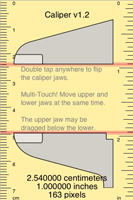 |
CaliperCaliper will allow you to measure any item placed on the iPhone’s screen by moving a set of virtual jaws around. It’s not going to be as accurate as a real pair of electronic callipers, but for everyday measurements of small objects, it’s great. |
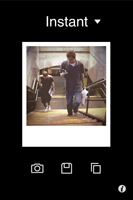 |
CameraBagCamera bag is a simple and creative application. It allows you to apply several different filters to a picture you have already taken our one that you can take within the application itself. |
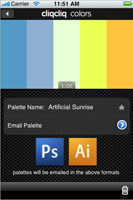 |
CliqCliqInspiration for design is all around and cliqcliq will help you capture it. You can discover new colors and easily convert RGB/HSB/Greyscale values into Hex values, Manage colors with the ability to save, name, and favorite palettes and much more… |
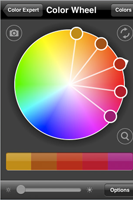 |
Color ExpertColor Expert helps artists and designers identify, translate, capture and show color using their iPhone or iPod touch. You can use an interactive color wheel to identify a target color and then find several palettes backed by color theory. |
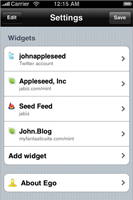 |
EgoEgo gives you one central—and lovely—location to check web statistics that matter to you. With support for Feedburner, Mint, and Twitter, you can quickly view the number of visits to your website (including daily, hourly and monthly numbers), feed subscription totals and changes, and how many people are following you on Twitter. |
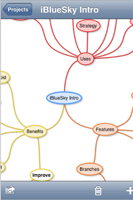 |
iBlueSkyiBlueSky allows you to mind map with your iPhone. The first thing you notice when you use iBlueSky is the extreme simplicity of the interface. You only have 3 buttons on the lower bar and this is actually all you need. |
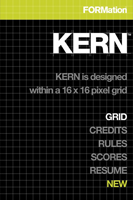 |
KERNKERN is a minimalist typography experience challenging you to precisely place a missing letter into a falling word while avoiding any unnecessary ligatures! Practice and prove your typographical acumen with a score that gives new meaning to point-size! |
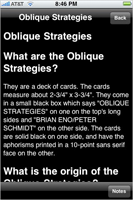 |
Oblique StrategiesThe Oblique Strategies deck of cards by Brian Eno and Peter Schmidt offers advice to help you solve a dilemma or push through a creative block, and now the strategies are available on your iPhone for free. |
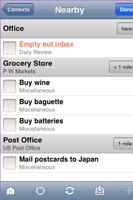 |
OmnifocusOmniFocus for the iPhone brings task management to your fingertips. Keep track of actions by project, place, person, or date. Bring up a shopping list, agenda items to discuss at work, tasks for home, and any other lists you need. |
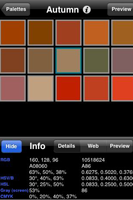 |
PalettesPalettes is a powerful iPhone productivity tool for creating and maintaining color palettes. Turn your iPhone or iPod Touch into a portable color creation tool. Now you can create a color palette anywhere at anytime. Great for creating color schemes. |
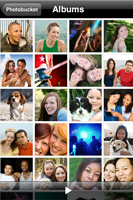 |
PhotobucketPhotobucket for the iPhone grants users full access to their Photobucket accounts directly from their iPhone, enabling one-click photo uploads, as well as full viewing options for albums and other Photobucket content. |
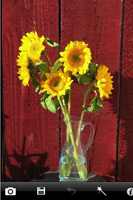 |
PhotoWizardPhotoWizard is a photo processing tool to add special effects to your photos. It also supports five amazing effects that turns your photos into artwork: Oil Paint Effect, Fish-Eye & Anti Fish-Eye Effect, Sketch, Block waves, Monochrome |
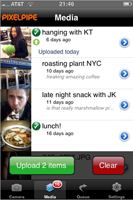 |
PixelpipePixelpipe allows you to easily post your digital pictures, videos, and audio files to a growing number of different services with only a few clicks. |
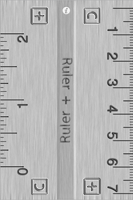 |
RulerTurn your iPhone into a handy little ruler with the Ruler app. A basic 2 sided ruler for your iPhone, to measure stuff in both inches and centimeters. Measures upto 2? or 7.5 cm. |
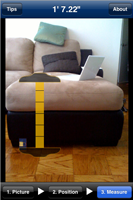 |
RulerPhoneRulerPhone allows you to measure the size of things photographed with the iPhone’s built in camera. You can either do a snapshot within the application itself or choose a photo from your library. To calculate the sizes in the image RulerPhone needs a reference object. For example, a common object to reference that everyone is carrying around today is a credit card. |
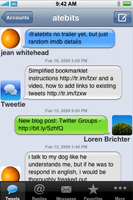 |
TweetieThe design community on Twitter is HUGE! Tons of well known and not so well known helpful designers out there tweeting all sorts of designy goodness. How the heck do you keep up with it? Sail through your tweets with blazing fast scrolling. Switch between multiple accounts. There is no limit on the number of tweets you can load. |
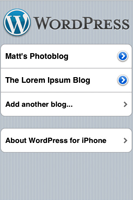 |
WordPressI ride the subway to and from work every day. This means I have about 30 mins to kill each way. The wordpress iPhone app is extremely usefull when I get blogging ideas on the train. In fact, many of the first drafts of my posts are composed on this ap! |
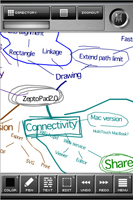 |
ZeptoPadZeptoPad is a vector-based handwritten note-taking application. |

15 Comments
this is another must have as well
Graphic Design Quiz.
http://itunes.apple.com/us/app/graphics-design-quiz-for-iphone/id387240098?mt=8
The app keeps track of the users score. The hi-score is “guru design”. The user can post the score on facebook as well.
Thanks, Kern looks awesome!
DesignRuler is a good App to have for Graphic Designers. I’m surprised it doesn’t show up on more of these lists.
http://www.appositeapps.com/DesignRuler/designruler.html
SimpleDraw is a nice app to draw and save your idea as well.
Another 2 good to have’s are: Colors! Lite and Pixel
Jobs by Bjango helps me, as a freelance designer, keep track of every task I perform for a client. I can track actual time spent and then invoice accordingly.
Now that I’ve gotten to see the article, this is a great list 🙂 Glad to see Kern on the list, what an addictive game.
I didn’t know about the wordpress app, looks super useful. Thanks for pointing this out.
Great apps.
any tips on building I phone apps?
They all want them in Seattle, and i need more work!!!
(so I can buy that hot I phone!)
ellarose
The Analytics app is the best, IMHO…
Not to forget: WhatTheFont.
Good list though, Im gonna try those right away.
I want an iPhone!!!
One app that I love love love, especially if you’re a freelancer like me, is MileBug. Tracks your mileage, task, different vehicles… it’s great. Check it out. http://www.milebug.com/
haha… they are a cool toy, but I would wait for the iPhone 3.0 to come out. http://www.apple.com/iphone/preview-iphone-os/
Now I just need an i-phone.