Show me what you’re workin’ with…


A week ago I asked, “Are you as proud of your workspace as you are your work? Is it true that you’re a product of your environment?”
Whether you’re a freelancer, large business, designer, developer or hybrid, you all have something going on behind the curtain.
So, in the spirit of cool set-ups, Interactive Blend gathered a collection of 13 designer’s workspaces. You may know some of these design gurus already, but I’m sure you haven’t had the chance to visit them in their own office.
Hopefully these inspire you in some way. Enjoy.
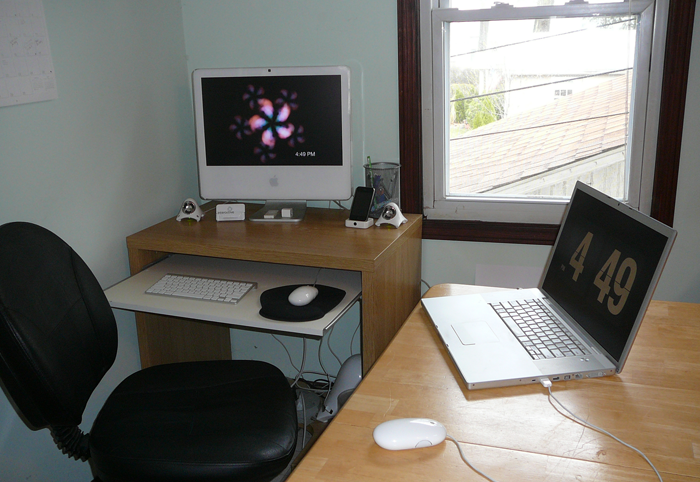
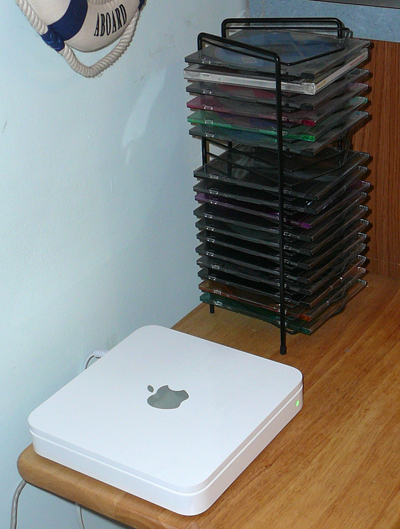
I’m not going to lie and say it always looks like this, cause it doesn’t. I’m working with CS3, a 20″ iMac, a 17” Mac Book Pro, a Time Capsule – 500 GB (best invention ever), JBL speakers and some wireless tools.
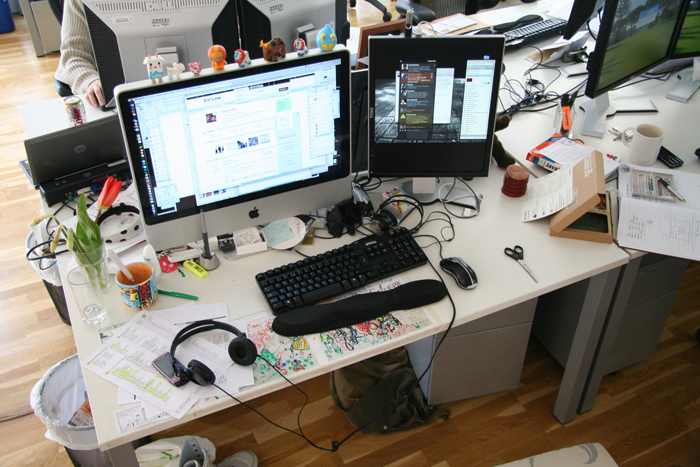
I’ve got everything there, my wacom pen (tablet is behind the monitor). The mac is a 2.4 GHz Intel Core Duo with 4GB memory. I’ve got a second dell monitor up on its side, so it’s the same height as the mac. On my desk, I have taped a sketch pad, where I can doodle anything I want, my microformats cheat sheet is out, two sets of headphones, rubber gloves and scissors for crafts, and tulips that my friend gave me from her garden. There’s also my graze box for the day, my handpainted hilarious mug, and my homemade and purchased toys along the top of the monitor. I didn’t tidy it up before the picture, as I thought it had more character in its messy state!
On the computer, I’m working in Photoshop, and have twitterific and skype open 🙂
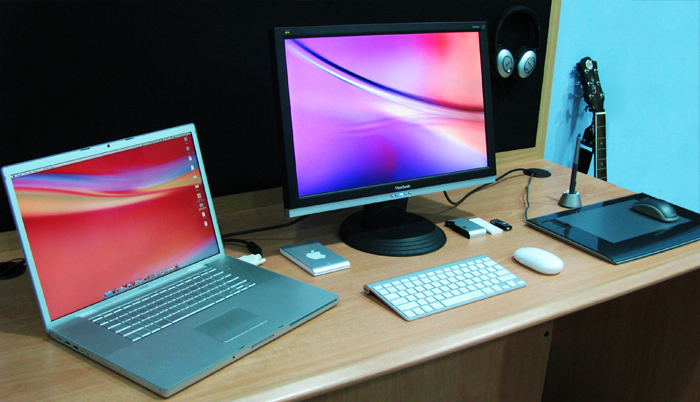
MacBook Pro 17″, 2.6G, LED, Leopard w/ 12 Spaces.
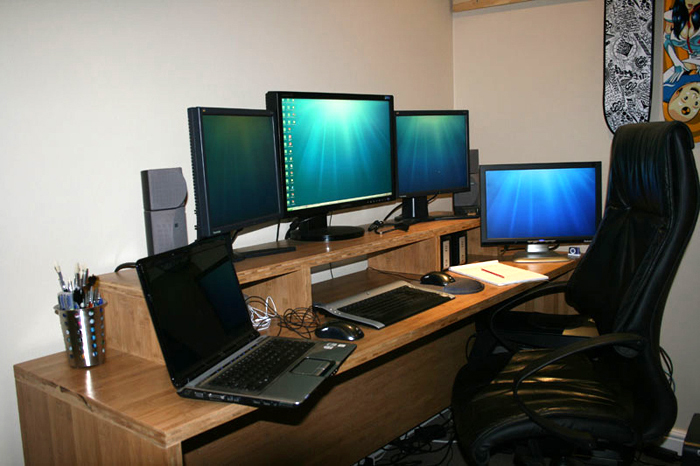
I mostly use Office & Adobe suites. I commonly use 3 monitors, have a custom setup which includes 8gigs ram, quad core processor etc.
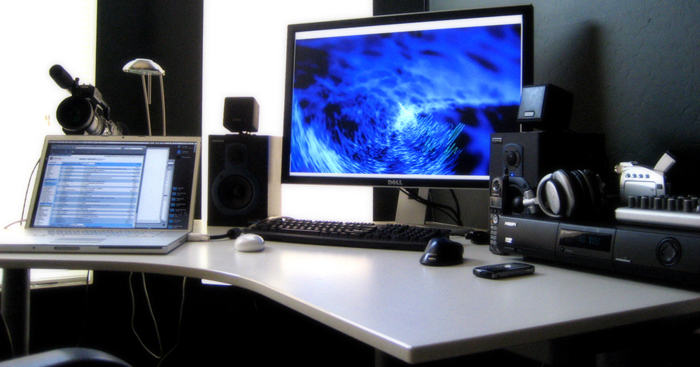
MacBook Pro 17″, Dell 30″ Monitor, Sony PD170 Camera, Beringer Mixer, Sony DVD Player, Sony Headphones, Samson Spkr, iPhone and Mighty Mouse.

My set-up has changed since this photo however this is the space I was given. I use a mac at work but I work on PCs at home, haha. I know it’s forbidden but maybe that’s what makes me like it.
» Christopher Wallace @chriswallace
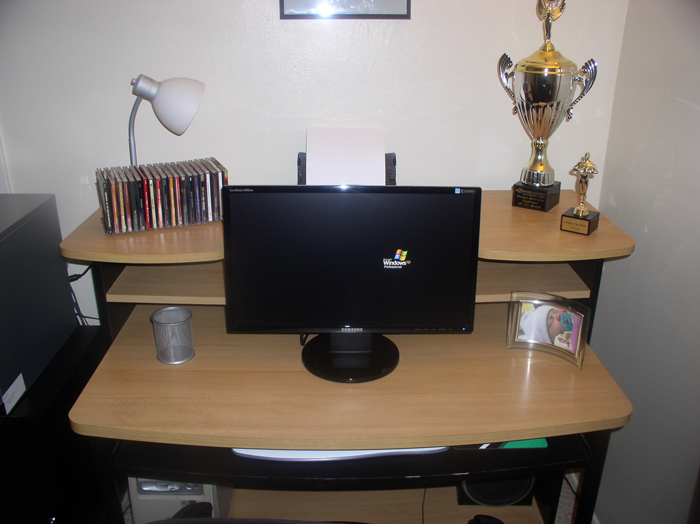
Pentium 4 3.0 Ghz, 4GB DDR2 RAM, 1TB Seagate Hard Drive, Radeon X1650, SoundBlaster Audigy with 5.1 Surround Sound, 23″ Samsung High-Density LCD, 20,000:1 Contrast Ratio, 300 cd/m2, 2048 x 1152 recommended resolution, 5ms response time.
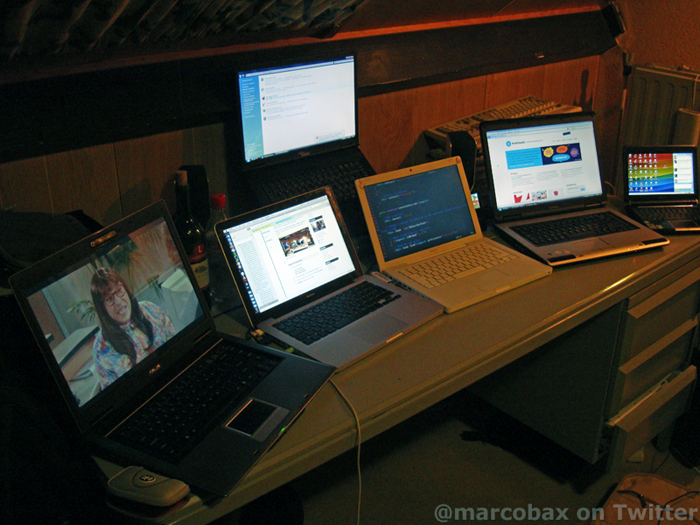
Short description of hardware: 1 macbook white 2gb ram 1.83ghz dual core, 1 macbook unibody 4gb ram 2ghz core2 duo, 1 asus F3JP 2gb ram 2ghz core2 duo, 1 asus eeepc 901 1gb ram 1.6ghz single core, 1 fujitsu siemens 1.8ghz, 1 toshiba 2gb ram 2ghz and an ipod classic 120gb for music.
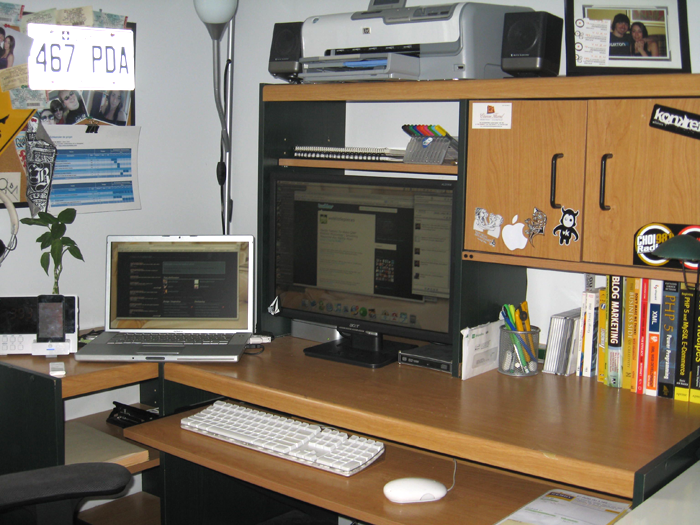
As promised, here’s my set-up… nothing fancy. I work on a Macbook Pro 2GHz with 1.5Go of RAM on Dual Screens. I can’t imagine living without my second screen. I use software like Zend Studio, Fireworks, Transmit, CSSEdit, CandyBar (i love candybar) and Textmate for my web development project and TweetDeck, Adium, NetNewsWire and Mail to stay connected.
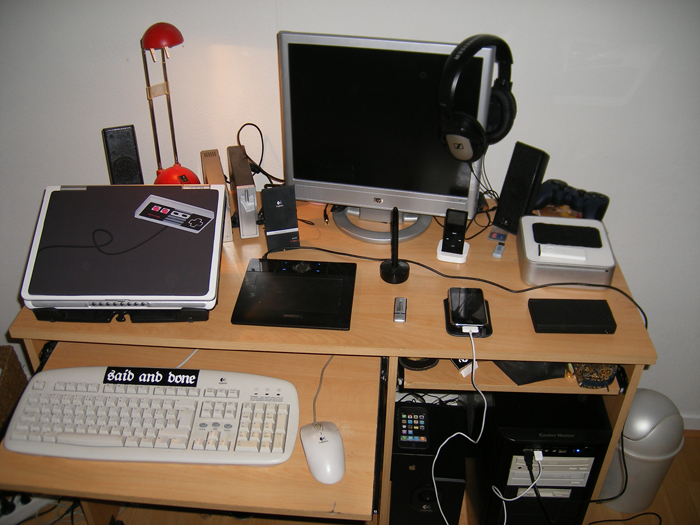
About my set-up: The PC at the bottom is a Inter Core 2 Duo 2.40Ghz with 4GB ram running both Windows XP and Ubuntu, it holds a ATI Radion HD4870 graphics card. To the left are my super old keyboard + mouse, don’t pay attention to that. On my desk is a Dell Inspiron 640m laptop with a custom made sticker, a Wacom Bamboo drawing tablet, an iPhone, a Nintendo DSi, Mac Mini 1,83 GHz Intel Core 2 Duo with 2 GB of ram (my media center <3), my old iPod Nano, Logitech speakers + subwoofer (next to pc), 2 x 500GB external hardrives and way in the back an USB game controller.
» Dan Bodenstein @danbodenstein
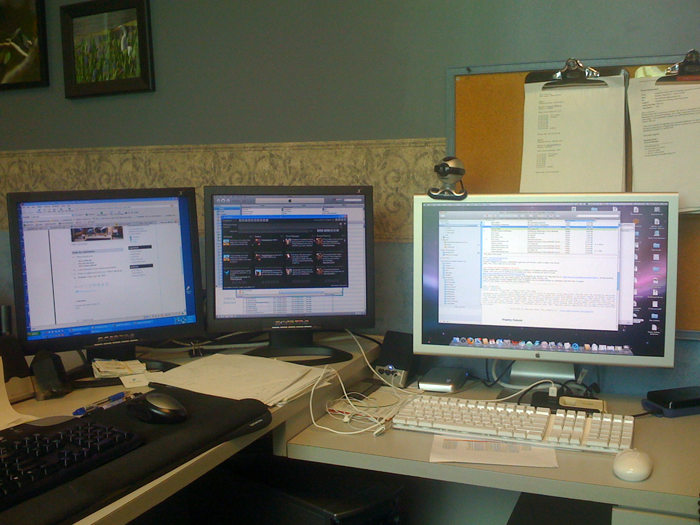
1 Dual Screen XP Pro AMD Athlon 64 3000+ 2GHz., 250GB local + 2TB Drobo, Mac Pro 2 Dual Core-Xeon 3GHz 500GB Hard Drive + 1.5TB Drobo
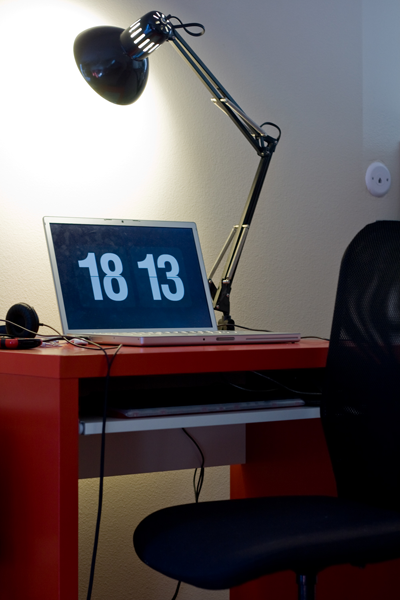
Hardware is a MIKAEL desk and TORBJÖRN chair from IKEA, a drafting table light, an old iMac keyboard (re-keyed for Dvorak) and some generic mouse. I’m a developer so hardware isn’t that important. Oh, aside from the MacBook Pro. Software is Firefox and Safari (and IE, of course, but I don’t want to think about that), TextMate, Visor/Terminal, Photoshop, and as much Python as possible.
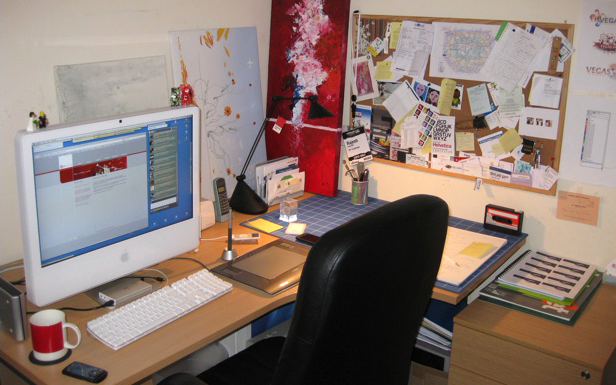
What am I working with you ask, a mess I answer as we’re reorganising at the moment. That aside its the usual suspects, G5 24” 250GB 2.16Ghz Intel Core 2 Duo running Leopard – Adobe Creative Suite, Wacom Tablet, A 500GB desktop HD and a portable 160GB. A pen, pencil rubber and layout pad. And a Pantone Mug!

27 Comments
Hey,
I created a website dedicated to workstation setups and workspaces : http://www.workstationsetups.com
I also created a Flickr group at http://www.flickr.com/groups/workstationsetups/
Feel free to contribute ! 🙂
Niiiiiiiiiiiiiiiceee. I think that i’ll create new workspace 😀 😉 The flicker idea is wonderfull, i’m in 😉
Wow, awesome workstations here!! I got a triple monitor set myself but these ROCK!! After all it isnt the computer but the *human behind it!
Thanks for sharing and inspiring us!!
Someone should make a Flickr group for this. Call it Desktop fetish!
http://twitter.com/mskogly
I couldn’t work like most of you. These look like office cubicles. There’s no colour, no decoration, no life. Just the screen. I’d go mad or fall into virtual reality.
Nope, it’s not for me. Give me a georgian relic, an old barn, a tree house, whatever. But not this sterile screen world.
This looks like they all cleaned up a bit. I’ll show you mine (not cleaned up) if you show me yours. 😛
Great fun to see others set ups though.
Thanks
Wow, awesome compilation of the workstations of many great bloggers/designers out there… and thanks for the twitter links too! Now it’s easier for me to add them 😉
If you really want me to choose… I’d pick Kat’s workspace. It’s messy in a very elegant and classy way!
Damn how did I miss this. I would have loved to be in there.. Great set ups everyone!
Guess you didn’t care to see my setup…
Brent has a made clean space. I’m really feeling it. Mine looks like that on occasion. Except with the fancy camera and 30”. Your 4” bigger then me!
All of these spaces look so grounded. I tend to work wherever so its always a laptop for me. My “space: looks more like Navdeepraj’s when I can stay put. ^_^
I’d have to say my favorite is @Digiguru
Crazy amount of monitors
Close second is @marcobax for the absurd number of laptops. Seriously wow
I love this post! Awesome idea and I love seeing how other designers work. Very cool. Thanks for thinking of it and taking the time to do it. You rock.
oops! I missed it!
I couldn’t submit my work station’s photo in right time.. 😛
thanks for an interesting post! this was fun to see.
I didn’t clean up but I don’t really have a choice. A) it’s a home office so anything left out can be confiscated by toddlers or pets; and B) it’s a tiny desk, so I can’t use it if there’s stuff everywhere.
Dang it, I left out the Moleskines!
If only you knew Louis, it’s far from it, if I had my way it’d be a different story!
@Rajesh Pancholi: who are you kidding? Your desk looks like something out of a catalog… haha
Kat you’re right everyone seems to have tidied up, bugger I should have redecorated first before sending the shot in : )
haha, I did not vote for myself (my vote went to 3drockz), nor did I ask anyone to vote for me (1 must be from the gf). this is not a “set-up!”
Believe it or not… my workspace is always that clean ! I guess you don’t but it’s true 😛 Anyway I love your set-ups. It’s great to see where you all work.
@garno
Kat, nope. That’s my station.
But then again you can’t see the other side of my desk.
Each day a team of specialists comes in to investigate whether that side of my desk is susceptible to an avalanche. Sometimes we have to trigger one, just in case. 🙂
@danbodenstein
Oh wow those places blew my space away! Haha thanks for listing me 😀
You all tidied up before your pic, and don’t pretend you didn’t! good article, mate!
Wow. I envy some of the set-ups there!
@marcobax has a lot of laptops haha.
and I really envy Craig’s monitor set-up. just… wow. need that too! haha