
Google AI Search Visibility: What Your Business Website Needs
Google AI search visibility starts with a useful website that Google can access and understand. AI Overviews summarize a topic in search results. AI Mode supports more involved questions and follow-up exploration. Both can link people to business websites, but inclusion is never guaranteed.
For a small business or marketing team, the practical job is to check eligibility, improve the pages that answer real customer questions, and measure what happens. Google’s current guidance for generative AI search keeps that work grounded in familiar SEO principles.
Check your Google AI search visibility settings
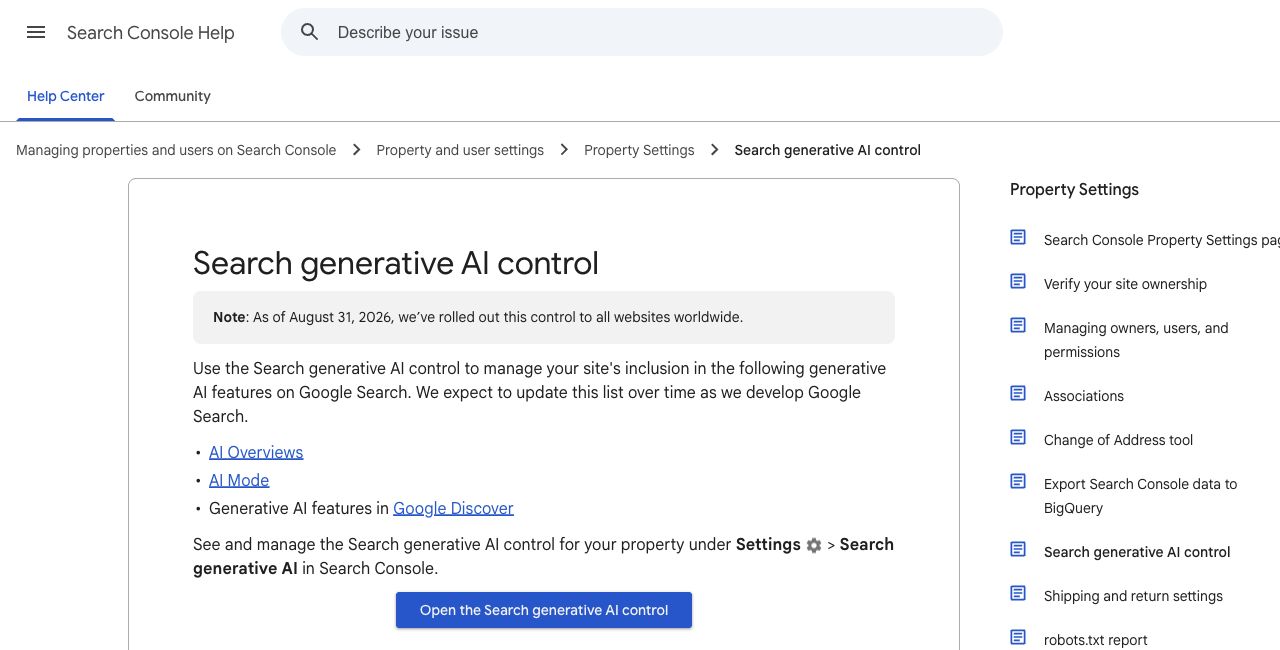
Start in Search Console, Google’s reporting and troubleshooting tool for website owners. Under Settings, look for Search generative AI. Google’s documentation for this control says it rolled out worldwide on August 31, 2026.
The control lets owners include or exclude their site’s links and content from supported generative AI features. Inclusion is the default, although a property can inherit a parent property’s choice. If someone else manages your website, ask them to confirm the effective setting before changing it.
Keep this decision separate from AI training preferences. Google says this control governs appearances in specified Search features; it does not govern AI training. That distinction matters when a business wants search visibility but has separate concerns about how its content is used.
Make one important page easier to find and understand
Choose a service page that should bring in qualified inquiries. Ask your developer to confirm that Google can access it, index it, and display a search snippet. Those are eligibility requirements in Google’s AI search guidance. A setting that allows inclusion cannot compensate for a page Google cannot use.
Then read the page as a prospective customer. Does it explain who the service suits, what the work includes, and what affects the scope? Can someone tell when your approach would be a poor fit? Useful boundaries often say more than another paragraph about quality.
For example, a contractor could explain which repair jobs require an inspection before an estimate. An agency could explain what a development partner needs before quoting a handoff. These are examples of information to add when it accurately describes your business, not claims about a ranking formula.
Connect that page to relevant articles, project examples, and navigation. Google’s link guidance recommends crawlable links with descriptive text. A link labeled with the service name gives readers a clearer next step than another “learn more.”
Give customers details they cannot get from a generic summary
Start with the questions your sales or support team actually answers. Select one that needs a considered explanation, then publish the details your team can stand behind.
- Explain a choice and the conditions that change your recommendation.
- Show a real example you have permission to share.
- State limitations, dependencies, or exclusions that affect the buyer.
- Update outdated details when your service changes.
I would prioritize a candid explanation of one difficult decision over a batch of interchangeable articles. Google’s guidance similarly favors distinctive, useful content and says there is no required writing style or special AI file for Google Search. An llms.txt file is not a Google visibility shortcut.
Measure appearances and business results separately
Search Console now documents a Generative AI performance report for AI Overviews and AI Mode. It reports impressions, meaning appearances of links to your site, with views including pages, countries, and devices. Google says a site may not see the report if it has not received enough impressions.
Use it to identify which pages appear, then compare that picture with inquiries and other useful actions on your website. An impression is not a visit or a lead. Record when you change a page so you can review the trend without treating every movement as proof that your edit caused it.
Begin with one important service page and one customer question. If your WordPress templates make those answers difficult to publish or navigate, our custom WordPress development work includes improving existing sites and building editing tools around your content. That gives your team a practical foundation for keeping useful information current.