
Changing WordPress Agencies? A Site Takeover Checklist
A WordPress site takeover is the handoff of an existing website to a new agency or developer. Before anyone starts changing it, confirm who owns the accounts, verify a recoverable backup, and agree on the first problems to fix.
Changing WordPress agencies does not automatically mean a redesign, a hosting move, or new page addresses. The right first step may be stabilizing the site you already have. This checklist helps business owners prepare that handoff and assess a new partner’s plan.
1. Collect the access and ownership details
A WordPress administrator login is only one part of the handoff. Ask the current provider for an inventory covering these five areas:
- Domain, DNS, and hosting: who owns each account, who can manage it, and how access will transfer.
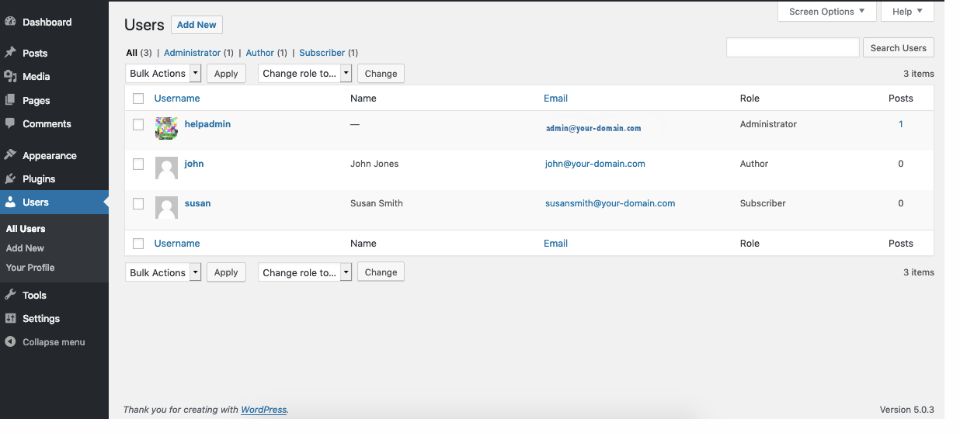
- WordPress users: named accounts for the new team, appropriate roles, and a list of people who still need access.
- Code and licenses: the theme, custom plugins, code repository, paid subscriptions, and renewal responsibilities.
- Business connections: forms, email delivery, CRM, payments, bookings, and any other service the website relies on.
- Backups and measurement: backup storage and restore access, Google Analytics, Search Console, and existing reports.
Use secure credential sharing and individual accounts. If the former agency controls a key service, resolve access before setting a migration date. Confirm renewal dates so the domain, hosting, or an essential license does not lapse during the transition.
2. Record how the site works today
A takeover review should cover hosting, theme and custom code, plugins, user access, backups, security settings, and performance. It should also follow the paths your customers and staff use: inquiry forms and confirmation emails, search, logins, checkout, bookings, and publishing. Agree on controlled tests so test submissions or orders are not mistaken for real business.
Ask the new team to record existing problems before changing anything. A broken form discovered during the handoff should have a clear owner and a testable fix, rather than becoming an argument about when it stopped working.
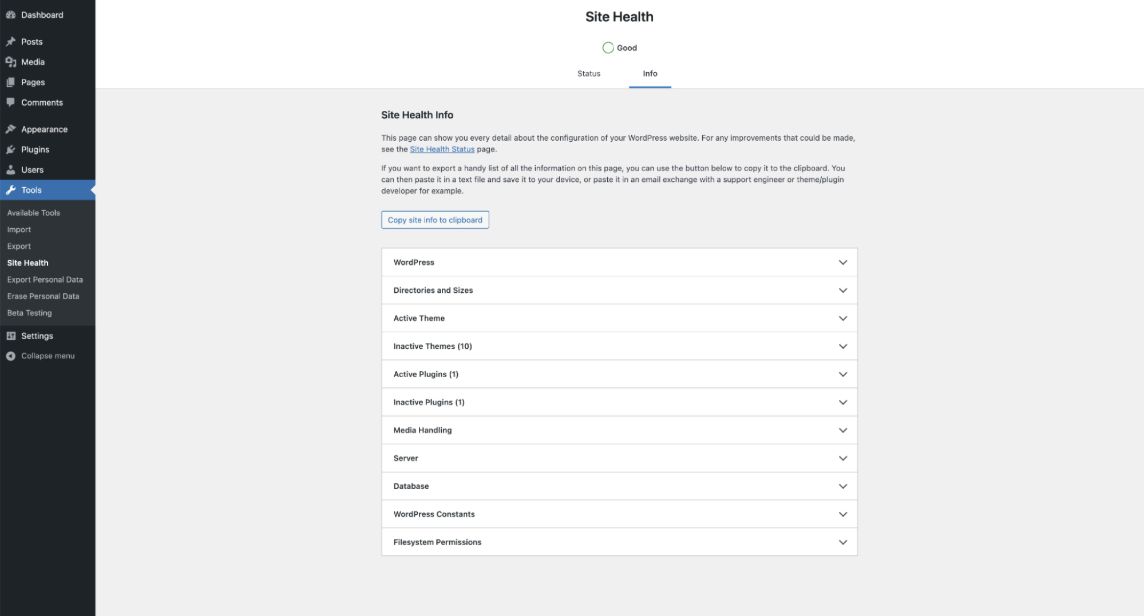
Tools → Site Health is a useful starting point. Its Status tab flags configuration issues; Info lists details about WordPress, themes, plugins, and the server. It does not replace testing your site’s forms, integrations, or customer journeys.
3. Verify backups before updates
Confirm that backups include both the site files and the database. Ask where copies are stored, how recent they are, who can restore them, and how a restore will be checked. A backup notification alone does not demonstrate that someone can recover the site.
WordPress’s update guidance recommends backing up before an update. For custom functionality or important transactions, use a staging copy to check changes before they reach visitors. Agree on a recovery plan and a suitable change window, especially for a store or booking site where new data keeps arriving.
4. Agree who fixes, tests, and communicates
Ask for a short findings list ranked by urgency, with an owner and next action for each item. Separate immediate faults from improvements that can wait. Confirm who approves work, applies updates, tests the business functions, handles an incident, and reports back to your team.
The support agreement should explain what is included, how additional requests are quoted, and how to raise an urgent issue. Review old accounts and remove access that is no longer needed after the handoff is verified.
5. Preserve useful pages and URLs
Record important landing pages, inquiry paths, and current Search Console and analytics data before a rebuild or migration. Keep useful page addresses where possible. Changing the team alone is no reason to rename every URL.
If addresses do change, map old pages to relevant replacements, plan permanent redirects, and update internal links and sitemaps. Check the result after launch and monitor Search Console. Google’s site-move guidance explains that search visibility can fluctuate while changes are processed; no agency can promise unchanged rankings.
Does a WordPress site takeover require a rebuild?
No. A stable site may need a better maintenance routine, targeted repairs, or a cleaner editing experience. A rebuild is worth evaluating when the current theme cannot support the work, integrations are fragile, or repeated repairs are becoming harder to maintain. Ask for a recommendation tied to findings from your site.
Our WordPress maintenance and support service reviews sites built by other developers. If a larger change is needed, our custom WordPress development service can help scope a redesign, migration, or phased rebuild.
What to bring to the first conversation
Bring the site address, your current host if known, the problems people encounter, essential forms and integrations, and any deadlines. Explain what access you have and whether the current provider can help with the transfer.
Need a new WordPress partner? Request a maintenance review. We work with businesses and organizations across the United States, starting with the site you have and the work it needs.